Upload up to 10 images, add GPS coordinates and edit EXIF metadata, then export with embedded location data. 100% browser-based — files never leave your device.
How to Add GPS Location and Edit EXIF Metadata
You can add photos to this app in a batch of 10 images at once to add geo-coordinates to each file separately. Followed by a few clicks your EXIF data will be updated.
Just upload images to the app and click the Edit button. Add your desired information in Title, Description, Artist and Copyright sections, also add geographic coordinates to geotag the image and hit Save. Similarly you can repeat this for up to 10 images at a time and save different information for each image separately. You can easily export the saved image in JPEG format.
Key Features of Image Geotagger
- Browse or drag and drop images — single or batch of up to 10 images at a time.
- All images are displayed in a table with small thumbnails.
- Respective EXIF data (title, description, GPS) of each uploaded image is shown in columns.
- Action column has 3 buttons per image: Edit, Export and Delete.
- Easy export of edited EXIF data — download photo with modified metadata embedded.
- Supports JPEG EXIF write; PNG, WEBP, AVIF are exported as-is.
Limitations: This free tool is limited to 10 images at a time. Please use it fairly. Maximum 10 MB image size is recommended.
User Guide: Geotagger & EXIF Editor — Step by Step
This image geotagger is a very easy and simple tool to add GPS coordinates to photos accurately and edit EXIF data like title, description, artist and copyright statement. It may help to boost SEO.
1Upload image to the application
The interface allows users to upload images via file browser or drag-and-drop. Multiple images can be uploaded at once.
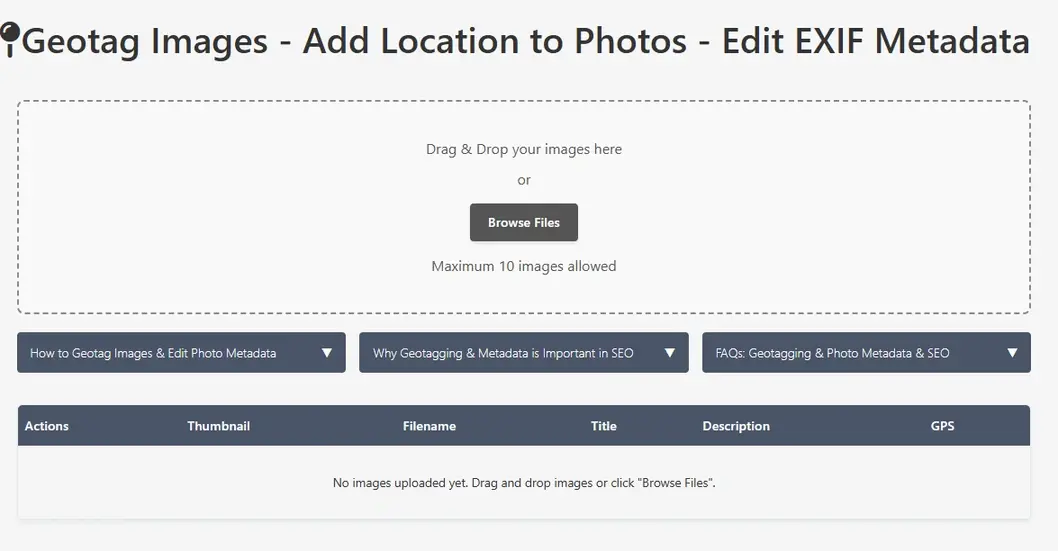
Image EXIF data editor
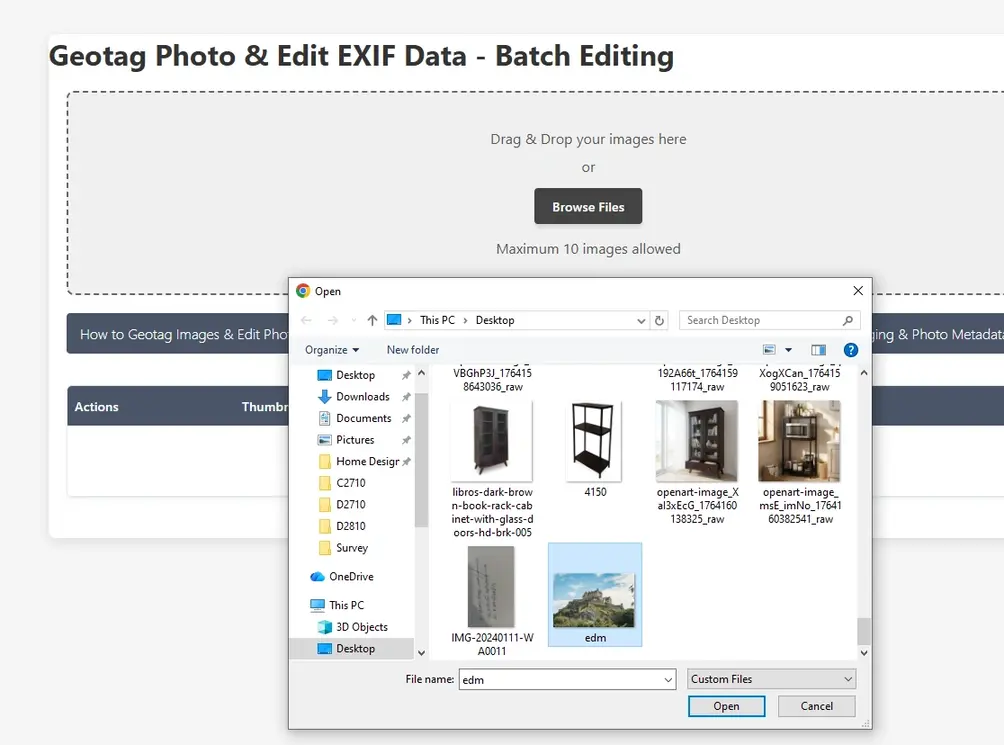
Browse images to EXIF data editor
2Check Image Details
Images appear in the table alongside thumbnails, metadata attributes and GPS information (found or not found).
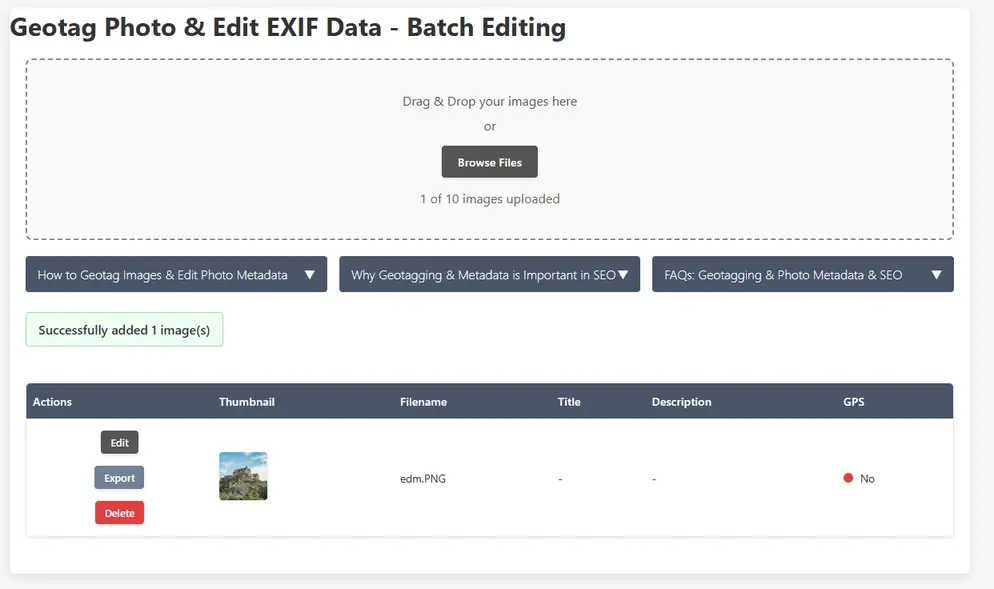
Geotag images and edit exif data
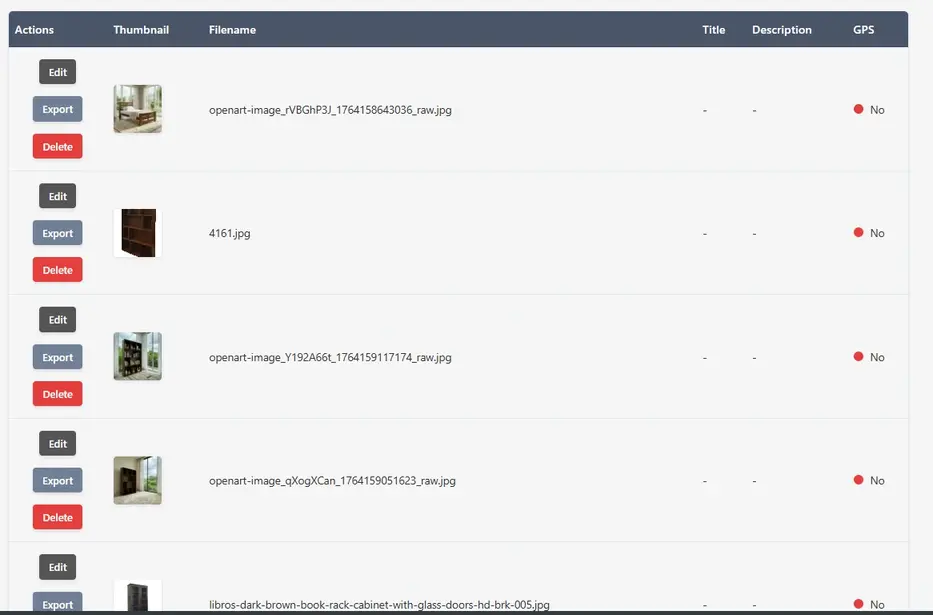
Geotag images and edit exif data table
3Edit Each Image's Metadata along with GPS Data
Click Edit on any row. Add title, description, artist, copyright and GPS coordinates via search, current location or map marker drag.
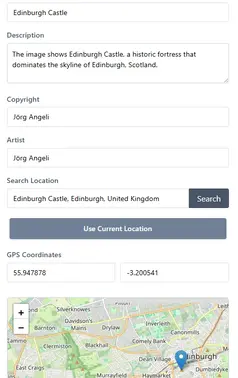
Edit Image EXIF data
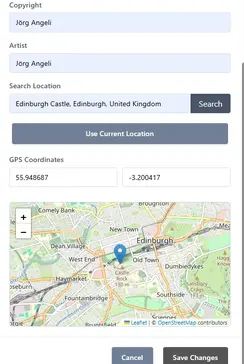
Edit Image EXIF metadata editor

Save Image EXIF data
4Export the Images
Click Export to download the image with updated EXIF metadata embedded and save to your local drive.
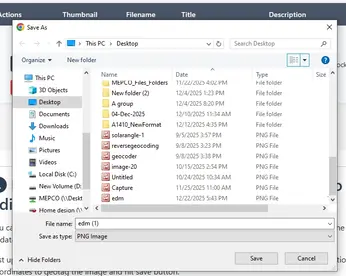
Export Image with EXIF data
Why EXIF Geotagging Matters
The modern internet is a visual-first ecosystem, yet search engines and digital indexing systems remain fundamentally text-based at their core. While AI can scan an image to identify objects, it often misses critical real-world context — exactly who captured the photo, when it was taken, and where it belongs geographically. This is why managing Exchangeable Image File Format (EXIF) metadata has evolved from a niche practice for photographers into a critical requirement across digital forensics, logistics management, and local SEO strategy.
Every JPEG captured on a modern device automatically embeds a digital ledger of information alongside the pixels. The real breakthrough in editing that data is not simply adjusting fields like Title, Description, Artist, or Copyright — it is the power of precision geolocalization. By injecting exact latitude and longitude values into an image's properties via map-marker synchronisation, users bridge the gap between physical space and digital footprints. In local SEO strategies, search algorithms cross-reference these geographic coordinate data points against regional business listings to verify spatial authority and relevance — making properly geotagged photos a measurable ranking signal for location-based searches.
A Streamlined, Non-Destructive Workflow
Historically, modifying image structures required tedious command-line tools or bloated desktop suites. This browser-based geotagger solves that by executing direct, non-destructive coordinate injections in batch configurations — entirely on your device, with no file ever leaving your browser. The workflow is designed to minimise friction:
Upload Images→Table Overview + Thumbnails→Batch Edit Metadata / GPS→Export with Embedded EXIF
This approach allows users to process multiple photos sequentially while maintaining independent data profiles for each image — one photo can be geotagged to a London address while another in the same batch is tagged to Tokyo, with separate titles, descriptions, and copyright statements for each.
Who Benefits from Image Geotagging?
▸Local Businesses & SEO Agencies — Embed precise GPS coordinates into product, premises, and event photos to strengthen geographic relevance signals for local search rankings.
▸Real Estate Photographers — Tag property photos with exact coordinates so listing platforms and search engines can surface them in location-filtered queries.
▸Field Engineers & Surveyors — Attach verified location data to site inspection images for audit trails, compliance records, and asset management systems.
▸Insurance & Legal Teams — Add or verify GPS metadata on evidence photos to establish credible location provenance for claims and litigation.
▸Travel & Lifestyle Creators — Retrospectively geotag photos taken on cameras without GPS chips, placing them accurately on the world map for portfolio and archive use.
▸Digital Forensics Analysts — Examine and correct location metadata on images where the embedded GPS data is absent, corrupted, or disputed.
Frequently Asked Questions
What is EXIF data, and why should I edit it?
EXIF (Exchangeable Image File Format) data is a hidden digital ledger embedded directly inside your photo files. It automatically stores details like the date taken, camera settings, and sometimes GPS location. Editing these fields lets you claim copyright ownership, add searchable descriptions, and accurately geotag images for better organisation or online search visibility.
How do I add precise GPS coordinates to my photos using this tool?
Upload your images and click the "Edit" button on the target row. You can add geographic coordinates by searching for a specific address, using your device's current GPS location, or manually dragging a pin across the interactive map to lock down the exact latitude and longitude before saving.
Will this tool compress or reduce the quality of my images?
No. The tool performs a targeted, non-destructive write to the file's metadata header. It alters only the hidden text properties — such as title, author, or coordinates — without re-compressing or altering the actual pixel data of your photo, leaving your original image quality completely intact.
What image formats are supported for EXIF editing?
The application fully supports reading and writing EXIF data for JPEG images. While you can upload other popular formats like PNG, WEBP, and AVIF, these file types handle metadata differently and will be exported as-is without updated EXIF injection.
Why does the tool limit uploads to 10 images at a time?
To maintain fast, serverless browser performance and ensure fair usage for all visitors, the tool caps batch processing at 10 images per session. If you have a larger catalogue, simply process your photos in consecutive batches of 10.
Can I set different titles and locations for each image in a batch?
Yes. Even though images are uploaded together, each one populates its own dedicated row in the overview table. Clicking "Edit" opens an independent editor where you can assign a completely unique set of coordinates, title, description, and artist credit to each photo individually.
How does geotagging my images help with local SEO?
Search engines are heavily text-reliant. When you embed specific latitude and longitude coordinates into photos featured on your website or local business listings, search algorithms read that hidden spatial data and use it to verify your business's geographic relevance to localised search queries in that exact area.
Is my photo data or location history saved on your servers?
No. Your privacy is fully protected. The tool processes all metadata modifications directly inside your web browser. Your images, GPS coordinates, and personal text entries are never uploaded to any server or stored in an external database.
What should I do if my image is larger than the recommended 10 MB?
For optimal performance, a maximum file size of 10 MB per image is recommended. Files significantly larger than this may cause your browser tab to lag or run out of memory. If your file is too large, scale down its pixel dimensions slightly before editing its EXIF tags.
Does adding "Copyright" or "Artist" text legally protect my work?
Embedding your name in the Artist or Copyright EXIF fields does not replace formal copyright registration with a government office, but it serves as a powerful digital paper trail. It explicitly states your ownership and intent to anyone who downloads or redistributes your image across the web.
Open Source Resources