Find the Exact Local Time for Any Location on Earth
The modern digital economy has fundamentally detached human collaboration from local geography. A software developer in London commits code to a server in Austin, while an event organiser in Tokyo coordinates a live stream with speakers across three continents. Yet as geographical borders become increasingly invisible in daily work, a more stubborn framework remains: the global time zone network.
This World Time Zone Map resolves that friction instantly. Click any point on the interactive map — or search by address, postcode, or GPS coordinates — and the tool returns the IANA timezone name (e.g., Europe/London), GMT/UTC offset (e.g., GMT+1), local abbreviation (e.g., BST), and the exact local date and time at that location right now. Time zone data is sourced from TimeZoneDB, which mirrors the authoritative IANA tz database and accounts for live Daylight Saving Time (DST) status — so the offset shown is always correct for the current moment, not a static approximation.
Key Features
- Search by Address, Postcode, or Place Name — powered by OpenStreetMap Nominatim
- Search by Coordinates — enter decimal lat, lng directly in the search box
- My Location — uses device GPS to zoom to your current position and look up your timezone
- Click Anywhere on the Map — instant timezone popup for any clicked point
- GMT Offset — shows both the signed offset (e.g., GMT+5:30) and the abbreviation (e.g., IST)
- Current Local Date & Time — the exact time right now at the clicked location
- Reverse Geocoding — address resolved from coordinates so you know exactly where you clicked
- WhatsApp Share — one tap sends timezone info, address, and local time to any WhatsApp contact
- Basemap Switcher — Street, Satellite, and Terrain views
How to Use the Time Zone Finder — Step by Step
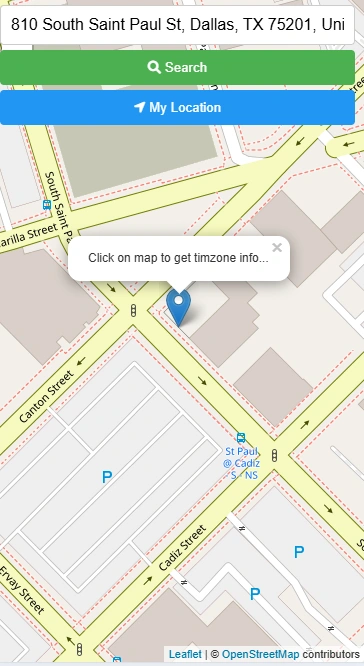
Type an address, city, or postcode into the search bar and press Enter. The map zooms to the matched location. Alternatively, click "My Location" to zoom to your GPS position.
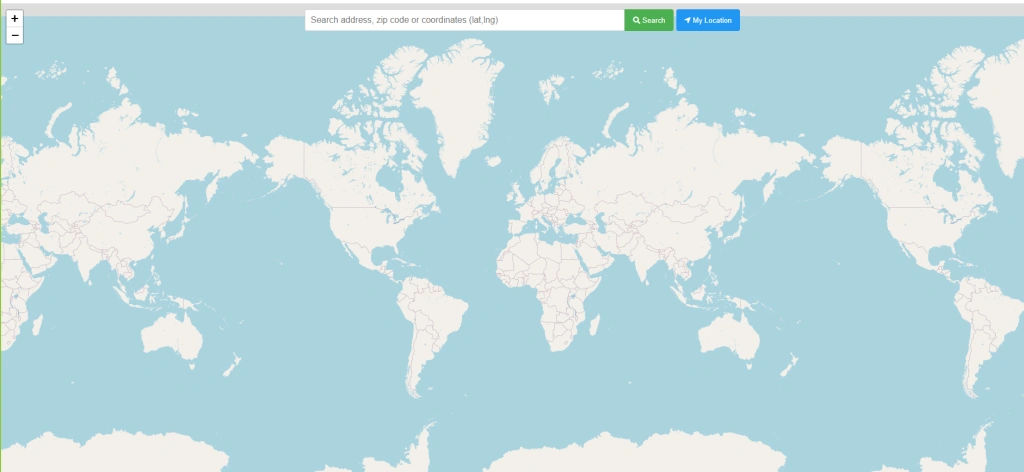
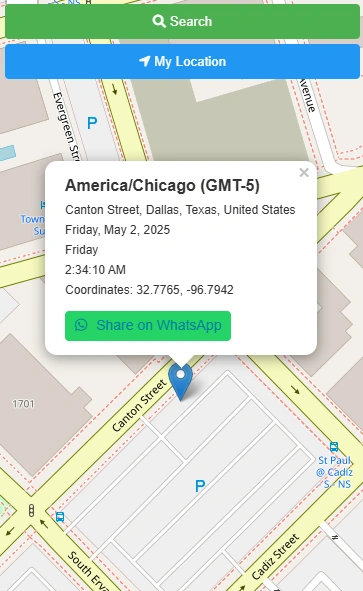
Click any point on the map. A marker is placed and a popup appears with the timezone name, GMT offset, timezone abbreviation, nearest address, current local time, and date.
The popup contains a green "Share on WhatsApp" button. Tap it to open WhatsApp with a pre-filled message containing the timezone, location, and local time — ready to send to any contact.
Who Uses This Tool?
Why Static GMT Offsets Are Not Enough
Historically, calculating cross-border time relied on static reference charts or simple mental arithmetic anchored to a fixed GMT offset. This approach has a fundamental flaw: time zones are not neat vertical strips sliced from pole to pole. They twist around national borders, state lines, and decades of regional political decisions. A country may observe multiple distinct rules across different states simultaneously — and the dates on which regions transition to summer or winter time shift each year based on local legislation.
A practical example: scheduling a meeting between London and New York in March exposes a moving gap. The United Kingdom and the United States do not trigger their DST transitions on the same weekend. For several days each spring and autumn, the offset between the two cities is temporarily different from what a static chart would show — causing missed calls, incorrect calendar invites, and failed handovers. Dynamic timezone lookups eliminate this risk entirely by reading the verified local rule at the exact moment of the query.
How the Tool Resolves a Location to Live Time Data
When a user clicks a point on the map or submits a search, the application captures the precise latitude and longitude of that location. A reverse geocoding engine (powered by OpenStreetMap Nominatim) translates those bare coordinates into a verified geopolitical address — identifying not just the country, but the specific administrative region that governs local time rules.
Those coordinates are then cross-referenced with the Internet Assigned Numbers Authority (IANA) time zone database, accessed via TimeZoneDB. Rather than returning a generic UTC offset, the system returns the strict zone identifier — for example, America/Indiana/Knox rather than simply America/Chicago — capturing hyper-local anomalies where neighbouring counties observe different rules. This architecture ensures that whether a user clicks a remote desert outpost or a dense urban financial district, the system returns the exact local time, local date, and active seasonal adjustment applicable to that precise point at that moment.
Practical Use: Logistics, Scheduling, and Verification
For logistics operators managing cross-border delivery windows, knowing the timezone identifier is only the starting point — they need instant visual context. The tool's satellite and terrain basemap options let users visually confirm the physical environment: identifying a specific port facility, a remote distribution warehouse, or a corporate office site before locking in a delivery or shift handover time.
For remote team managers and event organisers, the built-in WhatsApp share button in every popup bridges the gap between data collection and operational action. A single tap transmits the verified timezone name, GMT offset, local date, and current time to any contact — eliminating the back-and-forth of "what time is it for you?" that has long been the friction point of distributed global teams.
Frequently Asked Questions
Open Source & Data Credits
- Timezone data: TimeZoneDB — IANA tz database
- Geocoding: Nominatim by OpenStreetMap contributors
- Map tiles: CARTO, OpenStreetMap, Esri
- Map library: Leaflet JS