View ESRI Shapefiles on an Interactive Map — Free & Online
For decades, the ESRI Shapefile has been the workhorse of geospatial data. From urban planning and environmental science to journalism and logistics, this format — bundling geometry in a .shp file, attributes in a .dbf, and a supporting cast of .shx and .prj — has delivered countless maps. But there was always a catch: to view a shapefile, you needed heavy desktop software. QGIS, ArcGIS, or MapInfo. Licences, installations, steep learning curves.
Not anymore. This free online Shapefile viewer does exactly what it promises: upload a shapefile ZIP bundle or individual .shp file, and within milliseconds all geometries — points, lines, and polygons — render on an interactive Leaflet map. The entire parsing happens inside your browser using the open-source shpjs library. Sensitive parcel data, confidential environmental surveys, or proprietary planning boundaries never leave your computer. Drag, drop, see the map.
Key Features
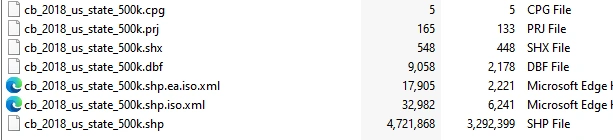
- ZIP Bundle Support — upload a .zip containing SHP + DBF + PRJ + SHX for full geometry and attribute loading
- Individual SHP — upload just a .shp file to see the geometry (without attributes)
- Interactive Map — polygons, lines, and points rendered with distinct colours; Leaflet basemap with fallback chain
- Hover Highlight — hovering any feature (on map or in table) highlights it in amber
- Click to Inspect — click any map feature to open a popup showing all its attributes
- Attribute Table — paginated (50 rows/page) table with all DBF field values
- Search & Filter — type in the search box to filter rows across all attribute fields simultaneously
- Zoom to Feature — click any table row or the ⌖ button to zoom the map to that feature and open its popup
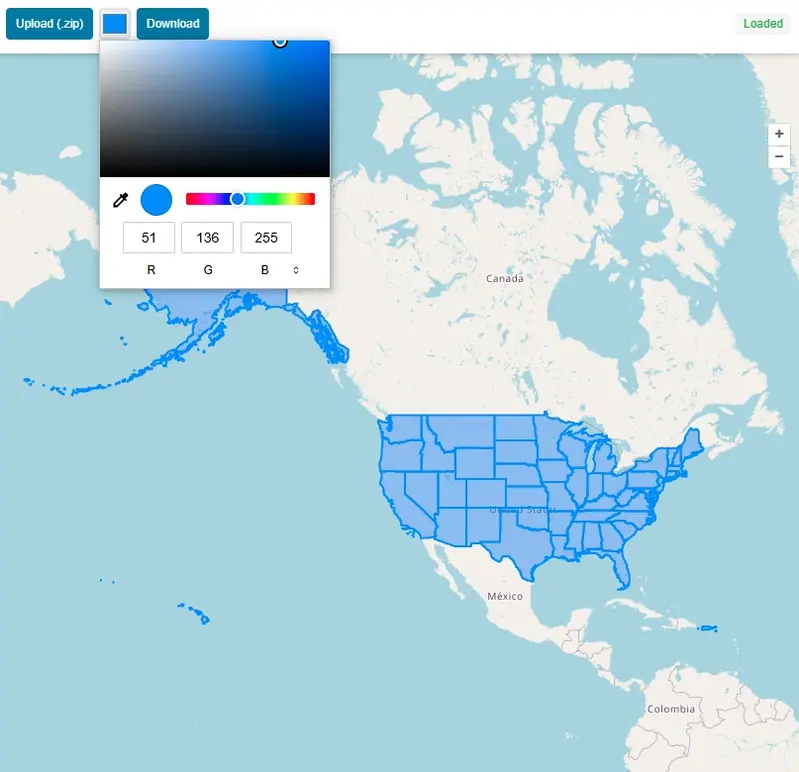
- Fill Opacity Slider — adjust polygon transparency on the fly
- Export as GeoJSON — download the entire loaded dataset as a .geojson file
- Basemap Switcher — Street, Satellite (Esri), and Terrain map styles
- Drag & Drop — drag a file directly onto the map to load it
How to Use the Shapefile Viewer — Step by Step
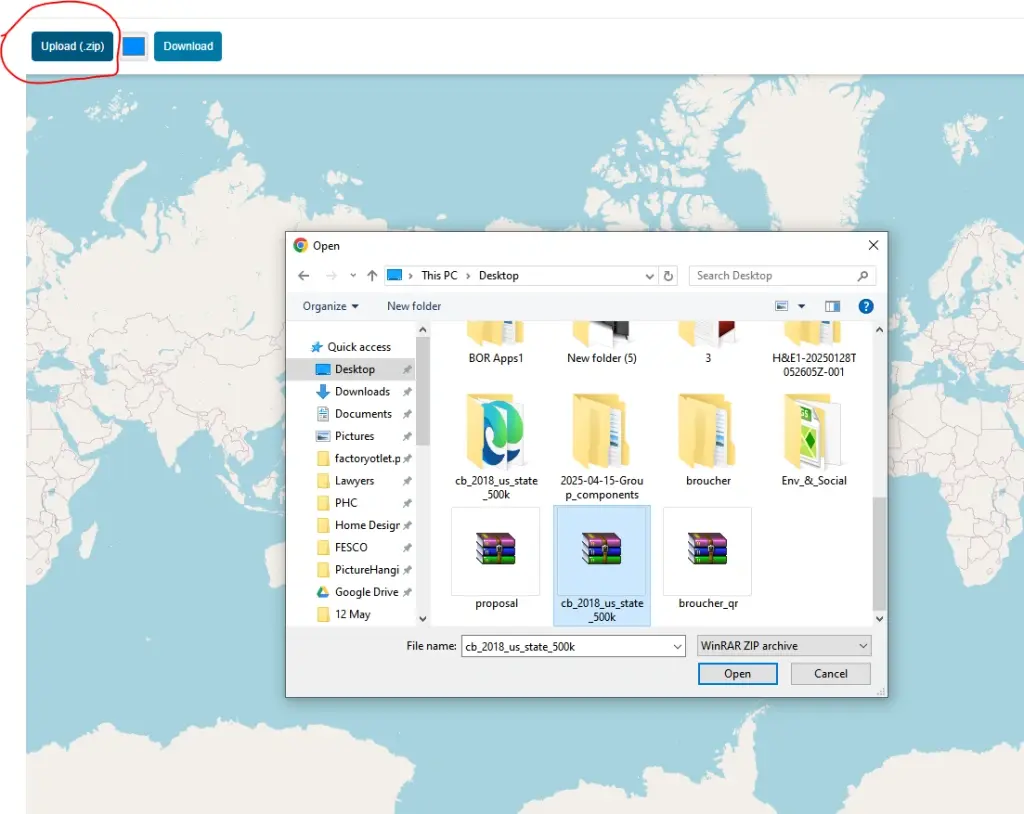
Click "Upload SHP / ZIP" or drag a file onto the map. For full attribute data, upload a .zip bundle containing the .shp, .dbf, and .prj files.
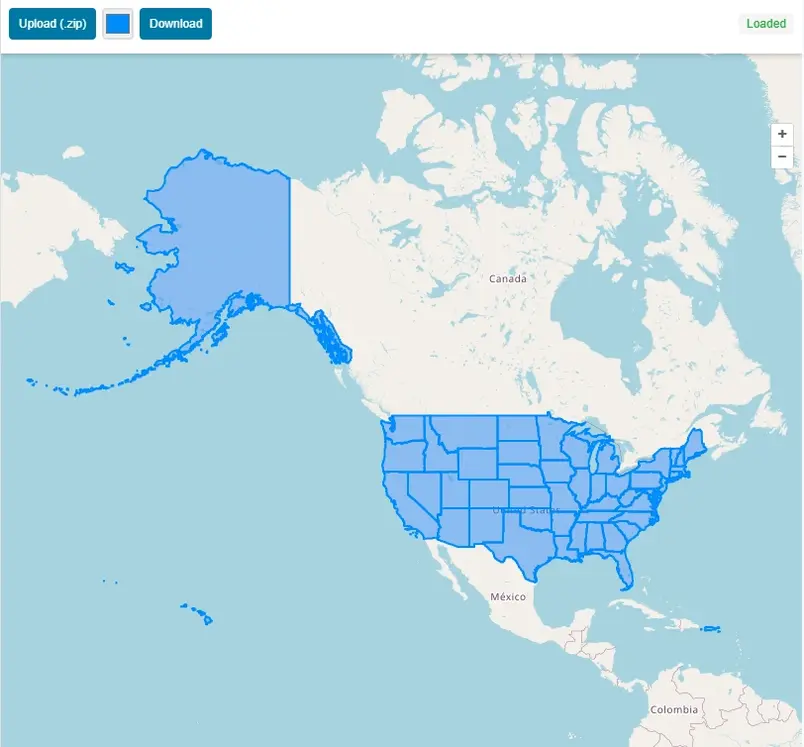
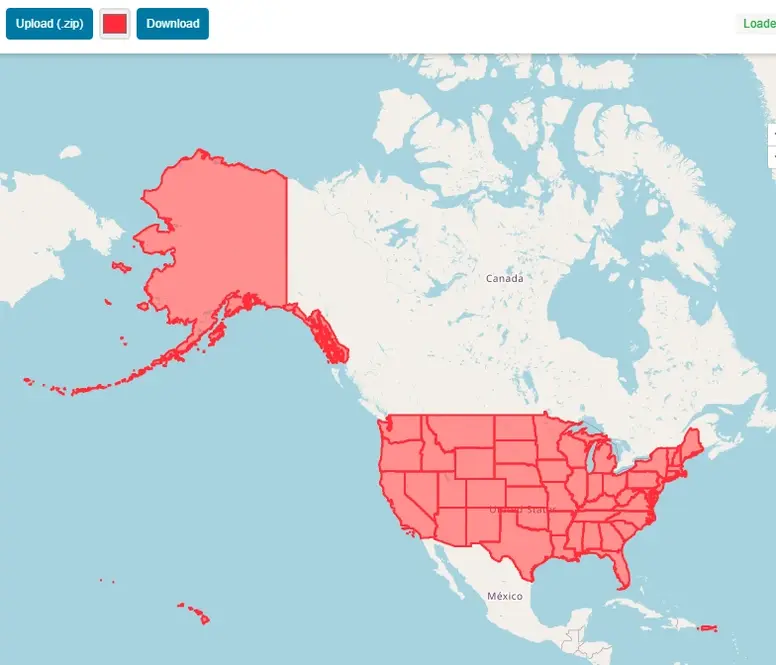
All geometries are rendered immediately. The map fits to the extent of your data. Pan, zoom, and switch between Street, Satellite, and Terrain basemaps.
Click any polygon, line, or point on the map to open a popup showing all its DBF attribute values. The corresponding row is highlighted in the attribute table.
Type in the search box above the table to filter rows. The filter searches across all attribute fields simultaneously — useful for large datasets.
Click any row in the attribute table (or the ⌖ button) to zoom the map to that specific feature and open its attribute popup.
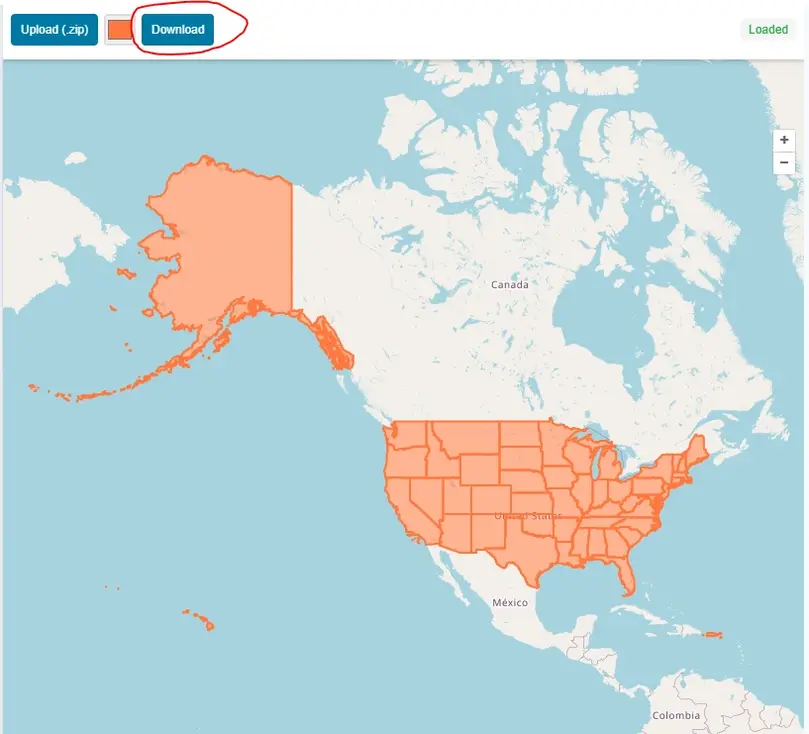
Click the "GeoJSON" button in the toolbar to download the entire loaded shapefile as a .geojson file — ready to use in QGIS, Mapbox, or any GIS platform.
What Is an ESRI Shapefile?
The Shapefile is a widely used geospatial vector data format developed by ESRI. A complete shapefile is actually a collection of files: .shp (geometry), .dbf (attribute data in dBase format), .shx (spatial index), and optionally .prj (coordinate reference system). Most GIS software — including QGIS, ArcGIS, Google Earth Pro, and MapInfo — can import and export shapefiles. Government agencies, research institutions, and data providers regularly publish datasets in shapefile format.
For this viewer, upload the full ZIP bundle (all component files zipped together) for the richest experience — geometry on the map plus the complete attribute table. Uploading just a .shp file will render the geometry, but without the .dbf you will not see attribute data in the popups or table.
Who Can Benefit from This Tool?
More Than a Viewer: Built for Real Work
The attribute table loads below the map, paginated at 50 rows per page. A search box filters across all fields simultaneously — essential when hunting for a specific feature ID, name, or code in a large dataset. Hover over any table row and the corresponding geometry glows amber on the map. Click a polygon or line on the map and a popup reveals every attribute from the .dbf file. A fill opacity slider lets you adjust polygon transparency on the fly — useful when overlaying data on satellite imagery — and the zoom-to-feature button takes you directly to any geometry without manual panning.
The Export as GeoJSON button is a quiet but powerful addition. Within seconds, your entire shapefile converts to modern GeoJSON — ready to drop into Mapbox, upload to GitHub for automatic rendering, or import into any web mapping library or GIS platform.
Known Limitations
The viewer works best with shapefiles in WGS84 (EPSG:4326), as Leaflet maps expect geographic coordinates. Files in projected coordinate systems such as UTM may display incorrectly unless reprojected first in QGIS or a similar tool. Very large files — tens of thousands of complex polygons — can push browser memory limits and render slowly; this is a browser constraint, not a tool restriction. For the vast majority of everyday shapefiles the tool handles them gracefully.
Geospatial Tools No Longer Need to Be Intimidating
For decades, the barrier to working with spatial data was software cost and complexity — licences, installations, and steep learning curves. That wall is crumbling. Free, browser-based viewers are democratising access to GIS data. You no longer need to be a GIS professional to open and understand a shapefile. So the next time someone sends you a .zip full of mysterious .shp and .dbf files, do not install anything. Drag it onto this map and start exploring. The future of GIS is not on your hard drive — it is in your browser tab.
Frequently Asked Questions
Open Source & Credits
- Shapefile parsing: shpjs by Calvin Metcalf — MIT licence
- Map tiles: CARTO, OpenStreetMap, Esri
- Map library: Leaflet JS — open-source interactive mapping